
Persons
Configure persons detail view pid
You can configure the pid where the detail view of persons records will be shown by setting the following constant
plugin.tx_highereducationpackage_personslisting.view.settings.detailPid = 11If this is set, a link "Show Details" that points to the configured page will be rendered both in list and contact box plugin.
Do not allow to show all persons in one list
By default it is possible to show a list of all persons by setting the category mode to "Ignore" which then shows all persons in the frontend in one big list.
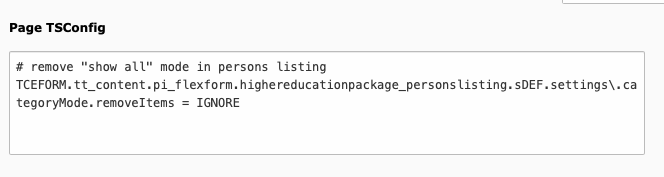
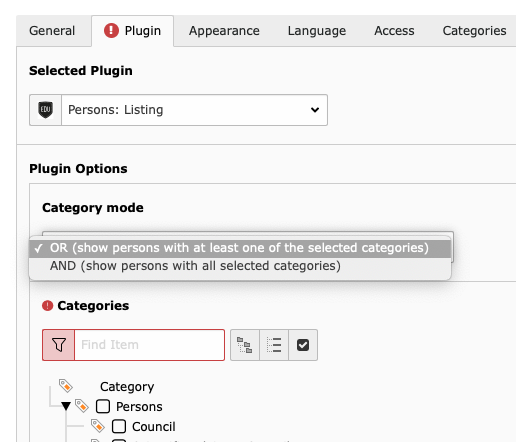
You may wish to disable that function for privacy reasons. You can do so by adding the following Page TSConfig.
# remove "show all" mode in persons listing
TCEFORM.tt_content.pi_flexform.highereducationpackage_personslisting.sDEF.settings\.categoryMode.removeItems = IGNORE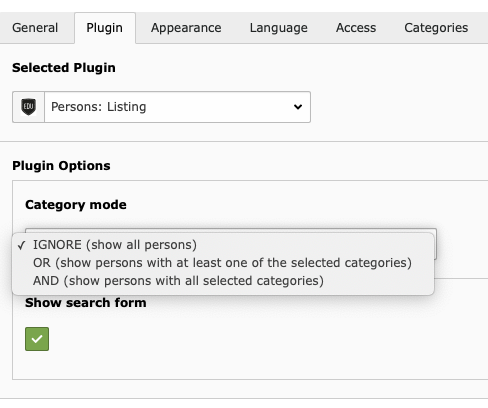
Make person fields read-only
By default the person records are editable for users with corresponding permissions. You can set all fields to read-only if you don't want person records to be editable at all by adding the following Page TSConfig.
# set person fields to "read-only"
TCEFORM.tx_highereducationpackage_domain_model_person {
	title_prefix.config.readOnly = 1
	first_name.config.readOnly = 1
	last_name.config.readOnly = 1
	title_suffix.config.readOnly = 1
	function.config.readOnly = 1
	consultation_hour.config.readOnly = 1
	address.config.readOnly = 1
	room.config.readOnly = 1
	building.config.readOnly = 1
	phone.config.readOnly = 1
	fax.config.readOnly = 1
	email.config.readOnly = 1
	personal_page.config.readOnly = 1
	categories.config.readOnly = 1
	starttime.config.readOnly = 1
	endtime.config.readOnly = 1
	sys_language_uid.config.readOnly = 1
	hidden.config.readOnly = 1
}Note
thus those fields aren't included in the Page TSConfig above.