
Videos
Videos can be embedded by adding a new content element of type "Video".
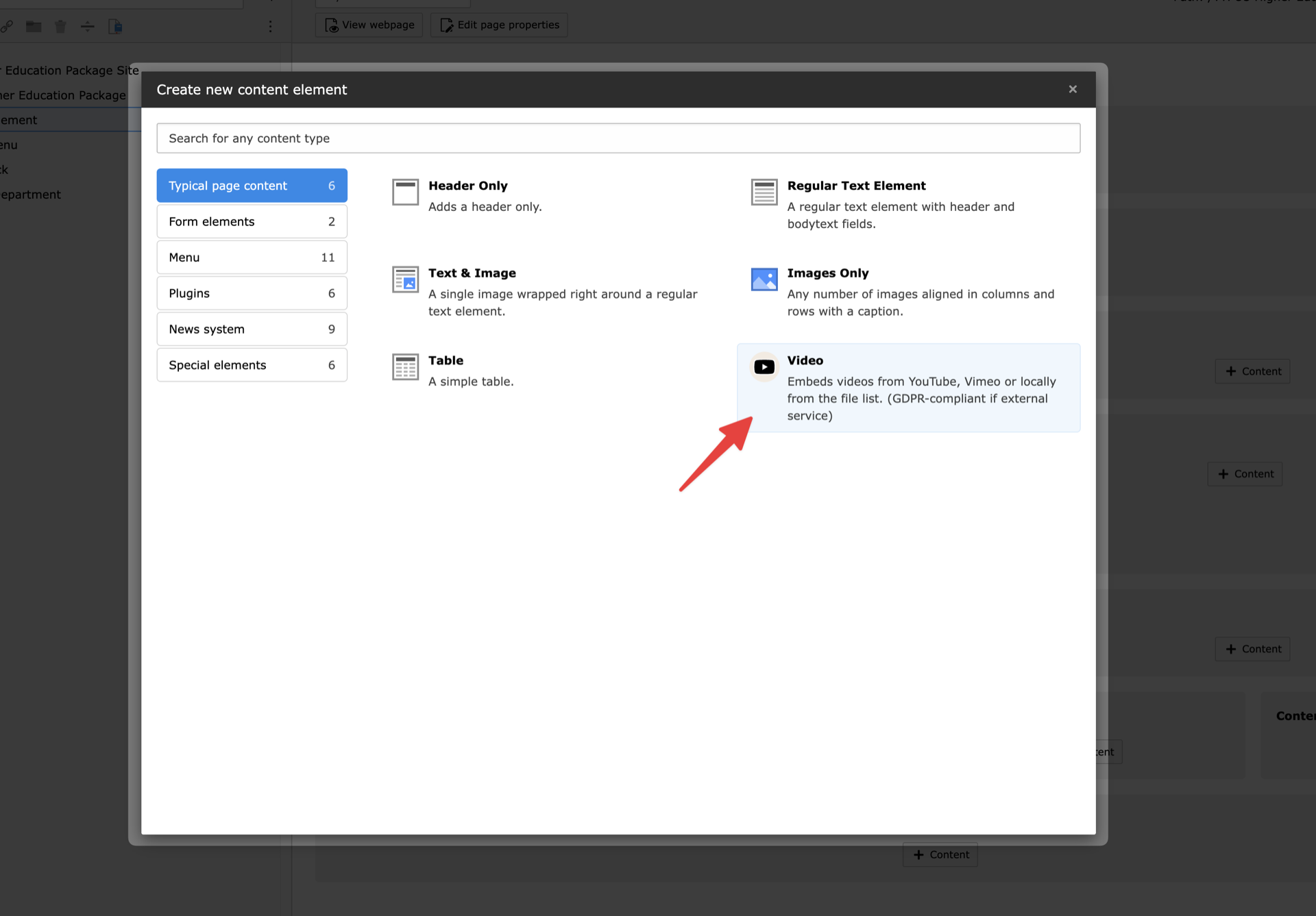
Opened content element wizard
Available fields
Beside normal header the following fields are available in the video element:
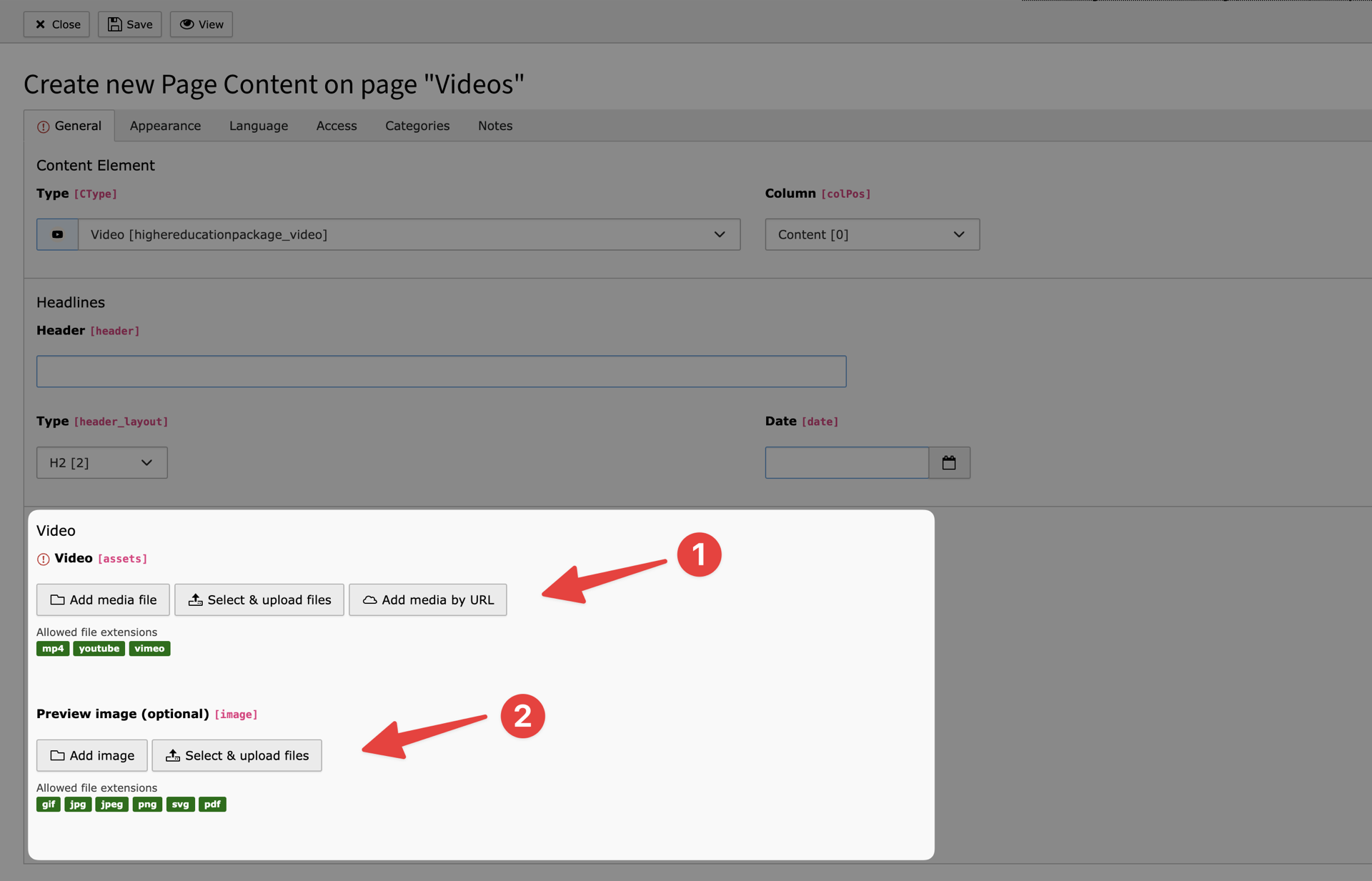
Editing the video content element
-
Video
You have to add a video from the filelist here. Available providers: Local MP4, YouTube or Vimeo
-
Preview image
You can set a preview image that is shown before the video gets loaded by a user's click. When using YouTube or Vimeo a preview image will be generated automatically, if you don't add one.