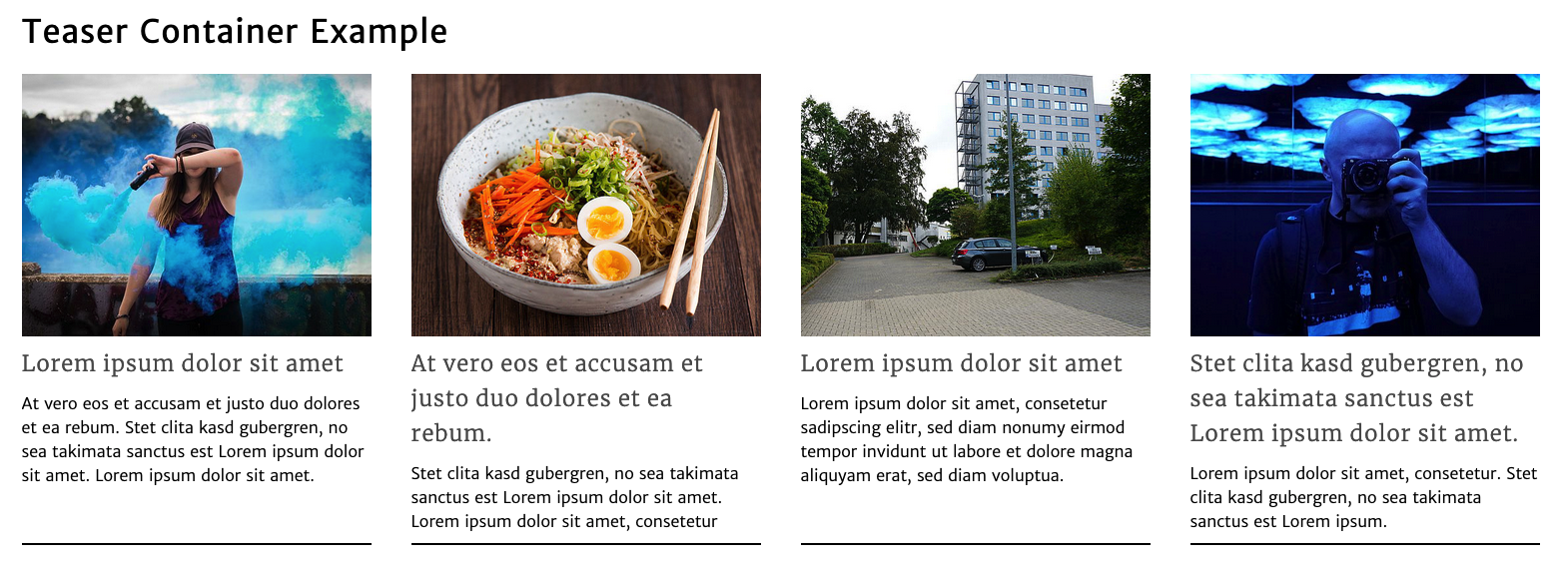
The teaser container element provides the possibility to set multiple teasers in a row.
In big viewports (desktop) there are 4 columns of teasers, the columns stack as the viewport gets smaller (mobile).
How to create the element?
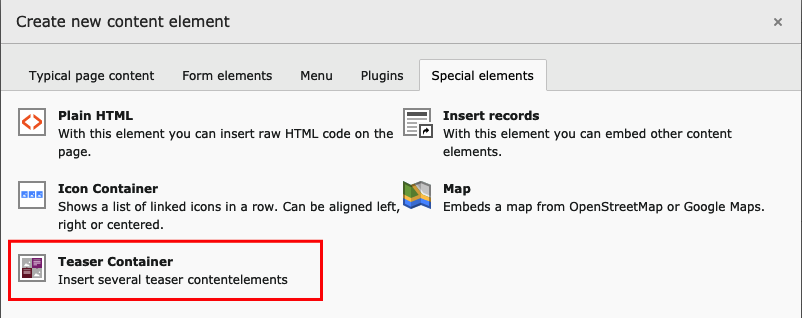
You can add the teaser container by selecting the content element in the content element wizard.
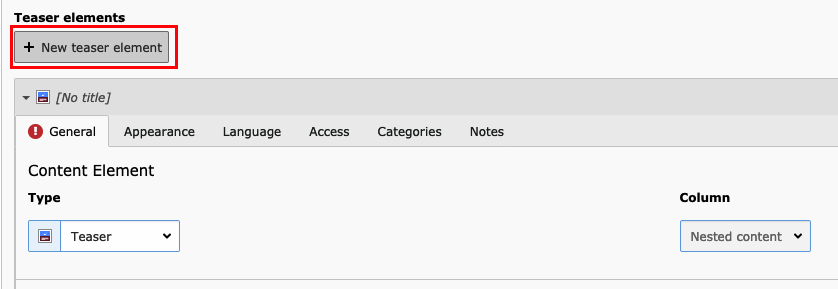
After that you can create multiple teasers by pressing the "+ New teaser element" button.
Each teaser has a required Image, Header and Link field.
Tip
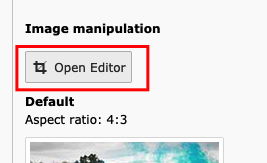
Consider using the "Image manipulation" tool to set the same "Aspect ratio" for all images within a teaser container.
Reference to the headline
Copy and freely share the link
This link target has no permanent anchor assigned.The link below can be used, but is prone to change if the page gets moved.